
Clever: Brain Training Games
DPM AppsEducation
4.3684.00 Reviews
- Version
- 1.52.5
- Installs
- 1.00M
- Age Rating
- Everyone
Screenshots
Our Review of Clever: Brain Training Games
 Analysis by Appyee
When was the last time you gave your brain a good workout? If you’re like me, you might be juggling so many things that you forget to keep your mind sharp. Enter Clever: Brain Games & IQ Tests. I’ve been diving into this app, and let me tell you, it’s like a gym session for your brain, but way more fun and less sweaty.
A shared screen for a short mental break
I can see this working well in a household where people take turns with one phone or tablet. A quick puzzle can fill the gap before dinner or make a quiet stretch of waiting feel less dull. The appeal is that someone can pick it up for a brief session without needing to turn the whole evening into a gaming event.
That casual rhythm is also a sensible way to introduce brain games to someone who is unsure about them. I’d suggest treating a score as a prompt for curiosity rather than a verdict on anyone’s ability. If two people try the same challenge, comparing how they approached it can be more enjoyable than comparing who finished first.
Keep turns and expectations clear
On a shared device, I’d agree on a simple handoff: finish a session, leave the phone ready for the next person, and avoid treating one person’s progress or result as a household record. This is ordinary device etiquette rather than a special family feature, but it prevents confusion when several people use the same app.
I’d also be cautious about assuming a shared screen means shared preferences. One person may want a relaxed puzzle, while another may be drawn to the IQ tests. Let each user choose what feels enjoyable, and don’t pressure a younger or less competitive player to match someone else’s pace. If keeping separate histories matters to your household, check how the app behaves on your device before making it a regular shared activity.
What a score can—and cannot—tell you
The tests may be entertaining, but I wouldn’t use an app result as a formal measure of intelligence or as evidence that someone has improved in a lasting way. A score can be affected by concentration, familiarity with a puzzle format, distractions, and the mood you’re in. I find these exercises most useful as a way to notice which kinds of problems I enjoy and where I tend to slow down.
That distinction matters especially when children are involved. The app is rated Everyone, which makes its age context broad, but an age rating is not a promise that every test or score will suit every child. I’d sit nearby the first time, see how the child reacts to timed or challenging tasks, and frame mistakes as part of play rather than a judgment. For structured learning or an assessment of a child’s abilities, I’d choose a tool designed for that purpose instead.
Who will get the most from it
I’d recommend it to someone who wants a low-friction way to occupy a few spare minutes with puzzles, or who likes switching among different kinds of mental challenges. It is less suited to a person who wants a full course, a classroom curriculum, or a clinically meaningful cognitive assessment. Those needs call for more specialized resources, even if they are less playful.
Compared with a single-purpose puzzle app, the variety here is the main draw: you can move from a logic challenge to a memory exercise or a test rather than staying with one format. Compared with a paper puzzle book, it is easier to dip in for a quick session, though a book avoids screen time and can be shared without juggling app progress. I’d choose based on whether variety and convenience matter more to you than a focused, offline activity.
First Impressions
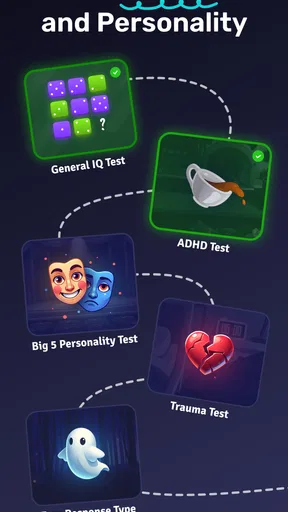
Opening Clever: Brain Games & IQ Tests for the first time, the interface is clean and inviting. It’s easy to navigate, which is great because nobody wants to wrestle with confusing menus. The design is friendly, with a touch of playfulness that suits the app’s purpose perfectly. Right off the bat, you’re greeted with a variety of games and IQ tests that promise to keep your neurons firing on all cylinders.
Diving Into the Games
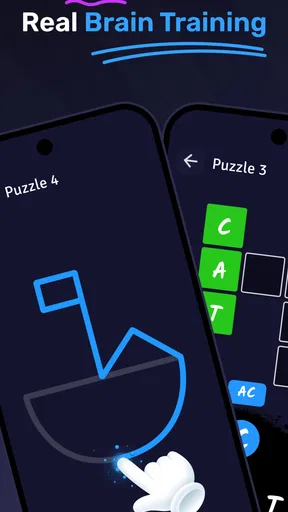
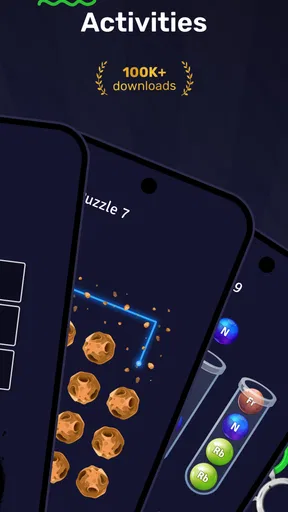
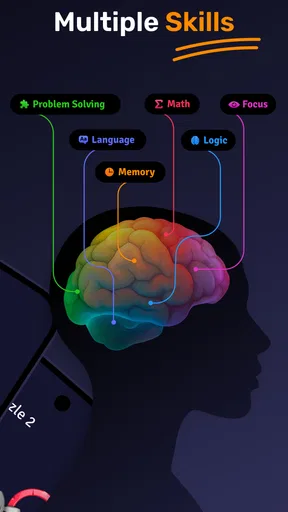
Alright, let’s talk games. From puzzles to memory challenges, Clever offers a wide array of options. Each game is designed to target different cognitive skills. Whether you want to boost your memory, improve your concentration, or just have some fun, there’s something here for everyone.
The games are quick to load and don’t require a huge time commitment. This is perfect for those moments when you’re waiting in line or just need a quick mental break. I found myself particularly addicted to the logic puzzles, which are as challenging as they are rewarding.
Make a small routine work for you
A useful way to fit the app into a busy day is to choose one short session during a predictable pause, such as after lunch or while waiting for a ride. I’d keep the goal modest: enjoy the activity and notice whether it holds my attention, rather than trying to prove I’m getting smarter every day. That takes pressure off and makes it easier to stop when the break is over.
If you share the device, decide whose turn it is before opening a game and avoid leaving a test half-finished for someone else to continue. A simple verbal handoff can prevent one person’s results from being mistaken for another’s. This is particularly helpful when a child and an adult use the same screen, since they may have different expectations about scores and challenge levels.
Test Your Limits
If you love a good challenge, the IQ tests will be your go-to. They’re crafted to give you a comprehensive idea of where you stand intellectually. The tests are thorough, covering various aspects like pattern recognition and problem-solving abilities. It’s a bit nerve-wracking but also exhilarating to see just how smart you really are.
One thing I appreciate is the detailed feedback you receive after completing a test. It’s not just about the score; it’s about understanding your strengths and where you can improve. This makes the app not only entertaining but also an educational tool.
Read results in context
When I take a test, I’d do it at a time when I can concentrate and treat the result as a snapshot of that session. If I’m tired, distracted, or rushing, I wouldn’t attach much meaning to a disappointing score. Repeating a similar activity may also make it feel easier simply because the format is familiar, so I wouldn’t assume a higher result alone proves a broad change in ability.
For a household, it helps to keep the conversation light: ask which question was tricky or which strategy worked, rather than asking who got the best score. That shifts attention from ranking people to thinking through a problem. It also makes the tests less intimidating for someone who is new to brain games.
The Community Aspect
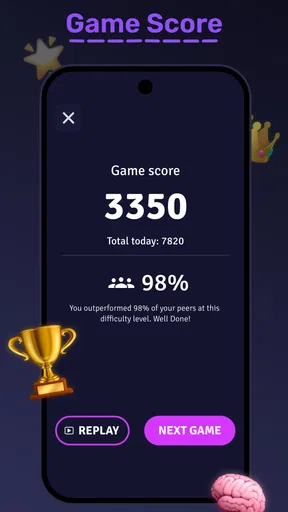
What’s a brain game without a little friendly competition? Clever includes a leaderboard that lets you compare your scores with friends and other users. This feature adds a social element that motivates you to keep improving. I found myself pushing harder to climb up the ranks, which made the experience even more engaging.
Competition without household pressure
A leaderboard can be a fun nudge for people who enjoy friendly rivalry, but it won’t suit everyone. I’d use it as an optional extra, not as the reason to keep playing. In a family setting, public or comparative scores can make a relaxed activity feel like a contest, so it is worth checking that everyone actually enjoys that side of the experience.
If your aim is simply to coordinate turns or keep a shared routine, a leaderboard is not a substitute for an agreed household arrangement. I’d decide together whether comparing results adds fun, and let anyone opt out without having to explain themselves. People who prefer solitary puzzles may be happier ignoring competitive elements and choosing activities for their own sake.
Subscriptions and Features
Clever offers a premium subscription that unlocks additional games and features. While the free version is plenty fun on its own, the premium option provides a richer experience. You get access to more in-depth tests and exclusive games, which are well worth the investment if you’re serious about your brain training journey.
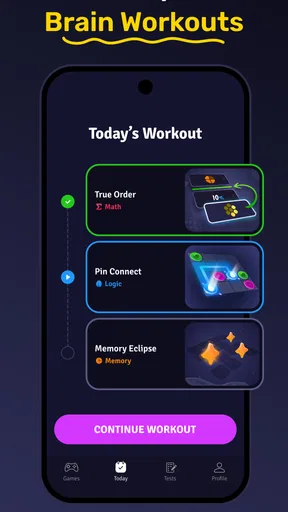
The app also offers personalized training plans based on your activity and results. This tailored approach ensures that you’re always working on the areas that need improvement, making your time with the app productive and efficient.
Decide whether paid access fits your use
The app is free to download, with optional in-app purchases ranging from $0.99 to $39.99 per item. I’d try the free experience first and only consider paying if I’m regularly using the activities and know what extra access I want. That is a more reliable test of value than buying because a score has made me feel I need to train more.
For a shared device, I’d also make sure the person responsible for purchases understands that different household members may use the app. Before confirming anything, check the purchase screen and the device’s own purchase settings. This is a practical safeguard, not a claim about a family-management feature inside the app.
Trust, age, and the limits of brain training
DPM Apps develops this education app, which has an Everyone content rating. I’m comfortable viewing it as casual brain-game entertainment, but I would not confuse that broad rating with a guarantee that every activity is ideal for every age or temperament. A child who gets frustrated by tests may do better with untimed puzzles, a paper activity, or an adult playing alongside them.
More broadly, I’d be wary of any expectation that a few rounds will produce a measurable real-world change in memory or concentration. The app gives me structured things to think through, and that can be satisfying practice, but I’d keep my expectations grounded. If I needed help with a learning difficulty, cognitive concern, or formal evaluation, I’d speak with an appropriate professional rather than relying on game results.
Practical fit on your device
The app was released on September 7, 2022, and its current version is 1.43.5; it requires Android 9 or later. Those details matter if you are considering installing it on an older phone or handing it to someone who uses a device that has not been updated. I’d check compatibility before planning a shared routine around it.
Its average rating is 4.4 from around 3.8 thousand ratings, with about 596 written reviews and over one million installs. That gives a useful sense that plenty of people have tried it, but popularity cannot tell me whether the puzzle mix or competitive tone will suit my household. I’d still judge it by a few sessions and by how everyone feels after using it.
Final Thoughts
Overall, Clever: Brain Games & IQ Tests is a fantastic way to keep your mind sharp. It’s entertaining, educational, and easy to use. Whether you’re a casual player looking for some fun or someone serious about boosting your IQ, this app has something to offer.
So, next time you’re hunting for a way to pass the time, why not give your brain a little workout with Clever? It’s a small step towards a sharper mind, and who knows, it might even make you the next trivia night champion!
My household verdict
I’d happily keep this as an occasional shared activity for adults or older children who enjoy puzzles, provided everyone understands that scores are for fun and turns stay clear. Its quick sessions and mix of challenges make it easier to fit around ordinary routines than a formal study plan. For a household that wants separate profiles, detailed parental controls, an offline-only option, or evidence-based assessment, I’d look elsewhere rather than assume this app is built for those needs.
For me, the best way to use it is simple: pick a game that sounds enjoyable, play when there’s a natural pause, and stop when the break is done. That keeps the experience light and avoids turning brain training into another chore. If that is what you want from an education app, Clever is worth trying; if you need structured teaching or a dependable measure of cognitive ability, it is not the right tool.
Verdict
Strengths of Clever: Brain Training Games
- Highly engaging puzzles and challenges.
- User-friendly interface with intuitive navigation.
- Regular updates with new content.
- Offline mode available for on-the-go play.
- Adaptive difficulty to match skill level.
Limitations of Clever: Brain Training Games
- Limited free content; in-app purchases needed.
- Occasional ads may interrupt gameplay.
- Requires a stable internet connection for updates.
- Some puzzles may feel repetitive over time.
- Battery usage can be high during long sessions.
Similar Picks in This Category
View All
Duolingo: Language Lessons
Duolingo4.7

Google Classroom
Google LLC2.8

Unacademy: Learn & Crack Exams
Unacademy3.2

Bible App for Kids
Life.Church4.4

Cake - Learn English & Korean
Cake Corp.4.7

Brainly: AI Homework Helper
Brainly4.5
Frequently Asked Questions
What features does Clever: Brain Games & IQ Tests offer?
Clever: Brain Games & IQ Tests includes a variety of challenging puzzles and quizzes designed to enhance cognitive functions such as memory, concentration, and problem-solving skills. It offers personalized training programs and progress tracking to help users monitor their improvement over time. The app also provides daily brain exercises to keep your mind sharp.
Is Clever: Brain Games & IQ Tests free to use?
Clever: Brain Games & IQ Tests offers both free and premium versions. The free version provides access to basic features and a limited number of games. To unlock additional features, such as advanced training programs and more games, users can subscribe to the premium version through in-app purchases.
How does Clever: Brain Games & IQ Tests track progress?
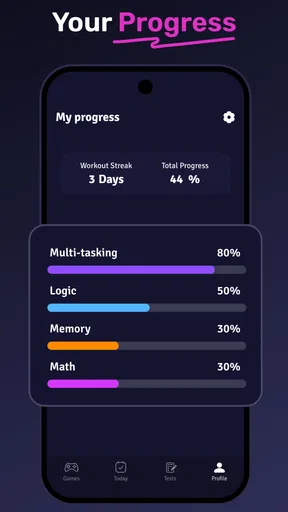
The app includes a comprehensive progress tracking system that records users' performance across different games and exercises. It provides detailed statistics and insights into areas such as reaction time, memory improvement, and overall cognitive enhancement. Users can review their progress over time to see how their skills are developing.
Is Clever: Brain Games & IQ Tests suitable for all age groups?
Yes, Clever: Brain Games & IQ Tests is designed to be suitable for users of all ages. The app offers a wide range of difficulty levels and game types to cater to different age groups and skill levels. Parents can also use the app to help their children develop cognitive skills in a fun and engaging way.
Does Clever: Brain Games & IQ Tests require an internet connection?
While some features of Clever: Brain Games & IQ Tests may require an internet connection, many of the games and exercises are available offline. This allows users to continue training their brains even without an internet connection, making it convenient for use on the go.
